Inspection
Work Planning

This is some text inside of a div block
The Mechanical Integrity Suit translates your integrity strategy directly into scheduled action. Whether you operate on fixed regulatory intervals or API 581–aligned risk models, inspection plans are generated, prioritized, and continuously recalibrated inside the system.

Features

  • Time-Based Inspection Scheduling
  • Risk-Based Interval Optimization
  • API 581–Aligned Risk Integration
  • Dynamic Remaining Life Recalculation
  • Risk-Weighted Overdue Flagging
  • Asset-Level Inspection Strategy Configuration
  • Automated Inspection Plan Generation
  • Non-Conformance Triggering from Findings
  • CMMS Work Order Automation (SAP, Maximo, etc.)
  • Inspection Status & Priority Tracking
  • Audit-Ready Schedule History

PSM Compliance

  • Track critical PSM metrics across assets, circuits, and sites in real time
  • Centralize mechanical integrity records in one governed system
  • Monitor inspection intervals, deficiencies, and corrective actions
  • Maintain audit-ready documentation aligned with OSHA PSM requirements
  • Preserve defensible, traceable compliance history

Time & Risk-based Scheduling

  • Enforce code-mandated inspection intervals
  • Integrate API 581–aligned risk modeling
  • Prioritize high-exposure assets automatically
  • Adjust timelines dynamically using corrosion rates and remaining life
  • Recalibrate schedules as new inspection data is captured
Compliance FRamework
Aligned with OSHA PSM, API 510/570/580/581/653, and ASME VIII, B31.3, PCC-2.
When inspections trigger action, the Mechanical Integrity Suite generates maintenance work orders without re-entry or delay. Non-conformances, severity, and supporting evidence flow directly into your CMMS so corrective work is initiated fast and tracked to closure.

Engineered Trigger Logic

  • Non-conformance–driven work order creation
  • Remaining life and corrosion rate thresholds
  • Risk score escalation triggers
  • Overdue or compliance-driven enforcement

Structured CMMS Integration

  • Direct integration with SAP, Maximo, Infor, Fiix, and other enterprise systems
  • Push full asset hierarchy and context. Include severity, damage mechanism, recommended action, and supporting evidence
  • Attach photos, documents, and inspection data

Audit & Governance Controls

  • Role-based approval workflows
  • Traceable action history
  • Defensible linkage between inspection finding and corrective action
Condition Monitoring Locations are not just points on a drawing. They are governed measurement anchors tied directly to asset health. The Mechanical Integrity Suite centralizes CML configuration, inspection history, corrosion logic, and remaining life calculations into a single structured system.

Structured CML Configuration

  • Define CMLs by asset, circuit, and component
  • Assign damage mechanisms and inspection methods
  • Configure nominal thickness, minimum allowable thickness, and corrosion allowance
  • Link CMLs to governing codes and integrity strategies

Live Degradation Intelligence

  • Auto-calculate corrosion rates from historical readings
  • Recalculate remaining life dynamicallyIdentify accelerated degradation patterns
  • Flag readings outside allowable limits

Risk Integration

CML degradation feeds directly into:
  • Risk-based inspection models
  • Inspection interval adjustments
  • Non-conformance generation
  • Work order automation
Every asset accumulates a record over time: repairs, replacements, design changes, temporary mitigations, inspection findings. The Mechanical Integrity Suite brings that record together into one governed system, capturing the complete operational history of each component with clarity and traceability.

Comprehensive Work Tracking

  • Repairs, replacements, and alterations
  • Temporary repairs and expiration tracking
  • Code-referenced repair methods
  • Linked inspection findings and non-conformances
  • Associated work orders and status history

Component-Level Visibility

  • Track history at the asset, circuit, or component level
  • Record material changes and design modifications
  • Document re-ratings, thickness adjustments, and configuration updates
  • Maintain traceable engineering decisions

Audit-Ready Documentation

  • Timestamped change history
  • Role-based action tracking
  • Supporting documentation and photo attachments
  • Defensible record retention
The Mechanical Integrity Suite captures, structures, and analyzes every inspection measurement to quantify corrosion rates, remaining life, and emerging exposure. Historical readings become defensible engineering evidence - not static data.

Structured Readings Capture

  • Timestamped thickness measurements
  • Inspector attribution and inspection method tracking
  • Linked CML, asset, and circuit hierarchy
  • Supporting notes, photos, and documentation

Live Degradation Analysis

  • Automated corrosion rate calculation
  • Remaining life recalculation with each new entry
  • Detection of accelerated degradation trends
  • Threshold-based alerting for out-of-limit readings

Trend & Risk Integration

  • Visualization across inspection intervals
  • Comparison against prior readings
  • Direct feed into RBI models and risk ranking
  • Trigger logic for non-conformance and work order generation
The Mechanical Integrity Suite applies API 581–aligned damage factor methodologies to quantify the likelihood of failure for each asset, circuit, and component. Corrosion rates, degradation mechanisms, inspection effectiveness, and remaining life calculations feed directly into the model.

API 581–Aligned Damage Modeling

  • Damage factor–based probability calculations
  • Mechanism-specific degradation modeling
  • Inspection effectiveness adjustments
  • Remaining life integration
  • Confidence-level weighting based on data quality

Data-Driven Inputs

  • Historical thickness readings
  • Calculated corrosion rates
  • Material properties and operating conditions
  • Inspection coverage and effectiveness
  • Documented repair history

Dynamic Risk Evolution

As new inspection data is entered:
  • Corrosion rates recalculate
  • Remaining life adjusts
  • Damage factors update
  • Documented repair history
Non-conformances generate repair work orders directly in SAP, Maximo, or FIIX - preserving asset context, inspection evidence, and traceability from detection through closure.

Integration features

  • Auto-generate repair work orders from validated non-conformances
  • Push findings directly into SAP, Maximo, or FIIX
  • Preserve asset context, evidence, and inspection history
  • Eliminate manual handoff between inspection and repair
  • Maintain traceability from detection through closure
Non-conformances are ranked using inspection severity, remaining margin, asset criticality, and operating context - so the most consequential issues are addressed first.

Non-Conformance Ranking Factors

  • Risk-rank non-conformances using severity, margin, criticality, and operating context
  • Prioritize findings in alignment with API 580/581 RBI methodologies
  • Focus repair planning on the highest-risk issues first
  • Support API 510, 570, and 653 inspection prioritization across fixed equipment portfolios
  • Apply consistent ranking logic across your mechanical integrity program
VisualAIM Asset Management Software for Oil & Gas. Intelligent Drawing Platform Product Block
Intelligent Drawing Platform

Convert drawings into
digital twins, in seconds.

Turn static P&IDs into connected, data-rich asset systems that bring context, inspection history, and operational insight into one place.
See how it works

Smart drawings that
scale with your facility.

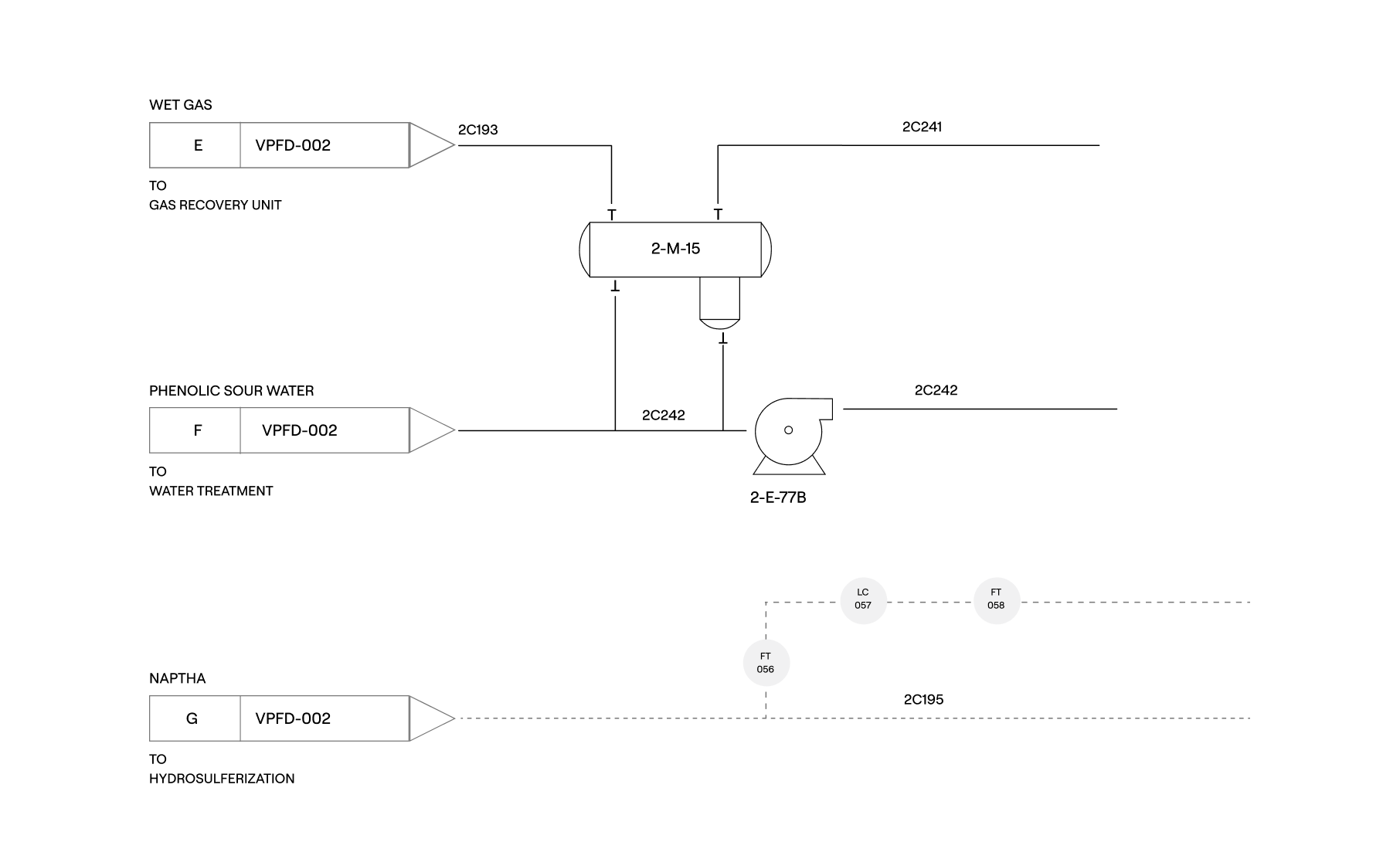
Convert AutoCAD P&IDs into structured digital twins. Every asset identified, catalogued, and connected to its records — searchable in seconds and 98% accurate.
01

Process Drawings

Convert P&IDs into interactive, searchable digital drawings.
02

Identify Assets

Build your asset register, line list, and instrument inventory directly from your P&IDs.
03

Navigate + Interact

Use your P&IDs as a live portal to search by tag, trace process paths, and link assets to external data and documents.
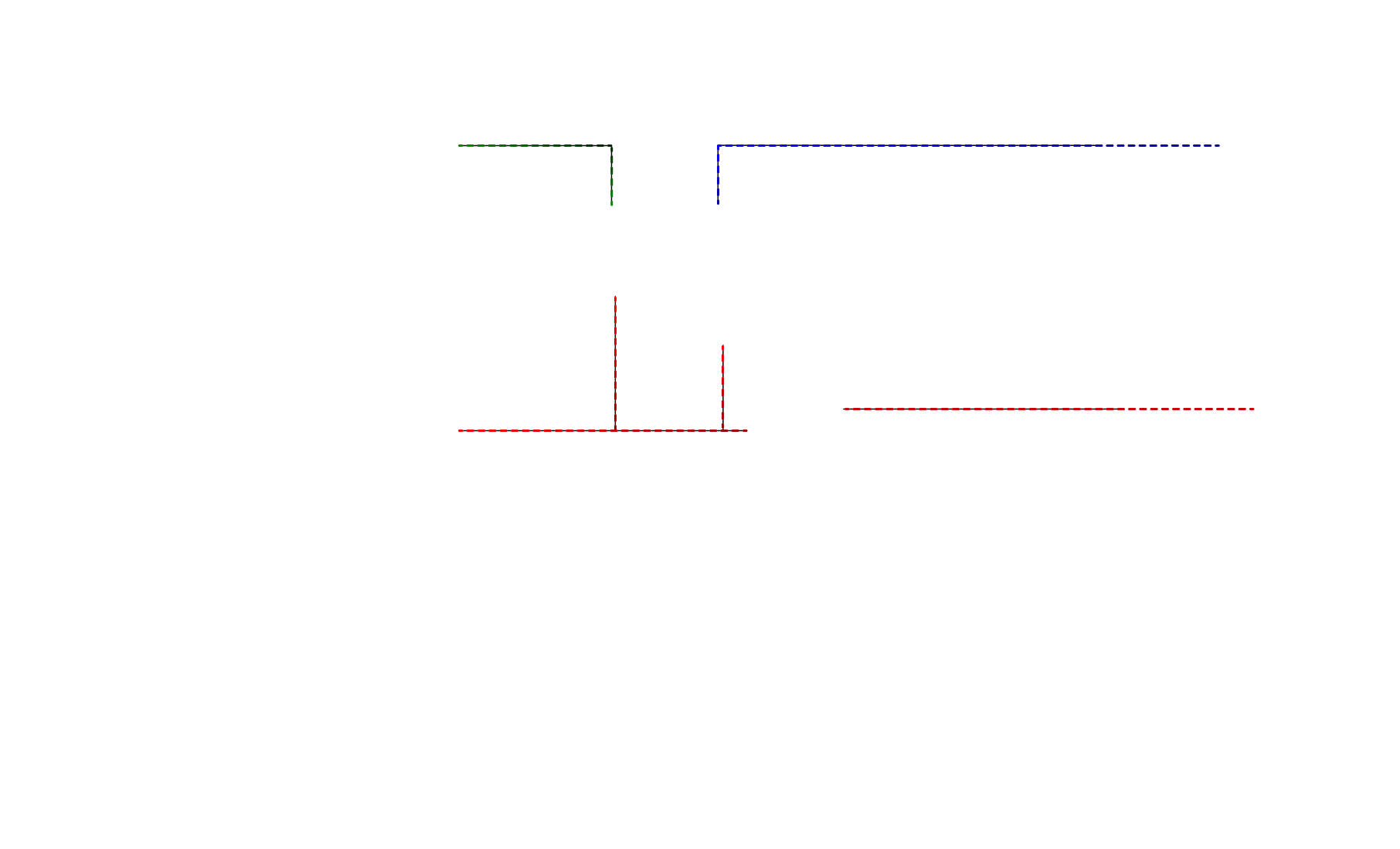
Process flow diagram showing three valves labeled E, F, and G connected to lines and equipment labeled 2-M-15, a pump, and sensors LC 057, FT 056, and FT 058 with dashed and solid lines indicating flow and control signals.
Flowchart showing the process of developing, validating, and deploying predictive models using historical data, with steps for modeling, testing, and results management.
Flowchart illustrating steps: Start leads to Step 1, then Step 2; Step 2 branches into Step 3 and Step 4; Step 4 branches further into Step 5 and Step 6, leading to End.

Extraction to
intelligence in seconds.

Create an intelligence layer from the drawings you already have, validate them against existing systems, and integrate smart P&IDs into your operational stack.
#
Capability
How it works
By the numbers
01

Instant Conversion

Drawings can be analyzed in any format - PDF, DWG, and CAD files. The Intelligent Drawing Platform instantly recognizes equipment, piping, instrumentation, and connections.

4seconds
Average time per drawing
02

Automatic Intelligence

Every asset is cross-referenced against your Master Equipment List and surfaces discrepancies automatically. Review, approve, or override with full audit trails.

98%
Asset ID accuracy
03

Zero Workflow Friction

Connect to your CMMS, inspection systems, and MI suite. Your digital twin becomes the single source of truth - feeding operational data back into existing facility systems.

3+
Integration pathways
Predictive maintenance can reduce machine downtime by 30–50% and extend asset life by 20–40%.{ Source }
Book a demo

Smart drawings for intelligent facilities

Searchable assets

The Intelligent Drawing Platform is a data enablement platform that supports your Management of Change (MOC) process. Operators and technicians can redline drawings digitally, flagging changes that need engineering review. Once approved, drafting teams update CAD masters in your document control system, which re-syncs automatically to ensure consistency.
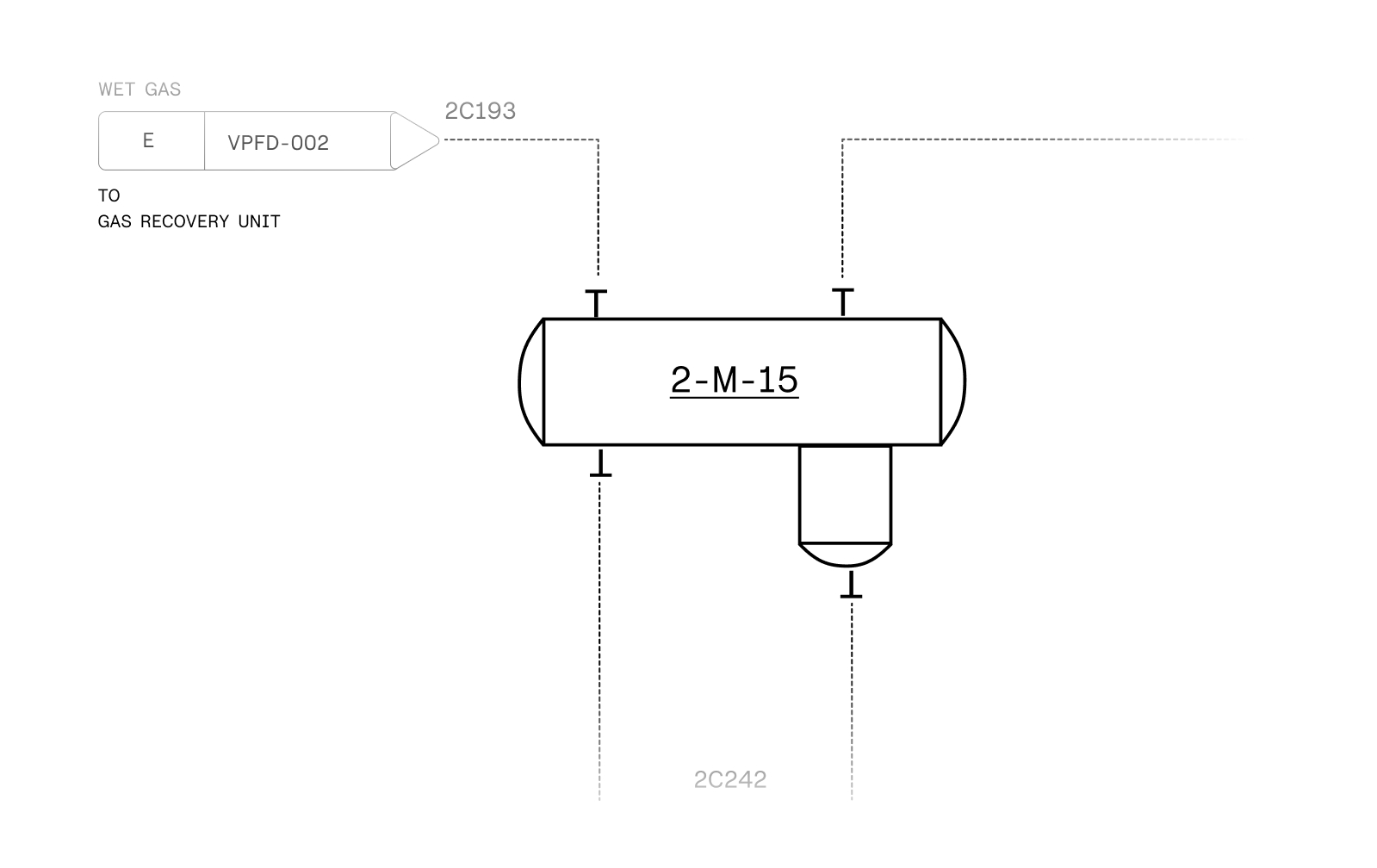
  • Search any equipment, line or instrument tag.
  • Navigate across drawings through linked off-page connectors.
  • Integrate data into existing CMMS workflows
Process diagram showing wet gas flowing through valve VPFD-002 labeled E into vessel 2-M-15 connected to the gas recovery unit.
Magnifying glass with an upward trending line graph inside, representing data analysis or search for growth.
condensate flash vessel
search Results:
V-03
Icon - Elements Webflow Library - BRIX Templates
Unit: Alkylation
System: Gas Recovery

Redline without disruption

The Intelligent Drawing Platform is a data enablement platform that supports your Management of Change (MOC) process. Operators and technicians can redline drawings digitally, flagging changes that need engineering review. Once approved, drafting teams update CAD masters in your document control system, which re-syncs automatically to ensure consistency.
  • Redline in IDP
  • Notification to start MOC
  • Checkout DWG from Document Manager
  • Execute change in CAD
  • Check new Master back into Document Manager

A unified intelligence
layer across your stack

Pre-built integration pathways connect the Intelligent Drawing Platform to the systems you already run. Asset data, inspection context, and engineering changes stay synchronized without disrupting active workflows or compliance processes.

SAP Logo
Emaint Logo
IBM Maximo Logo
Fiix Logo
Atlas 3D by VisualAIM logo

One ecosystem, fully connected.

Extend asset management capabilities with our connected integrations. Built for the complete asset lifecycle, these solutions offer deeper insight and collaboration across the enterprise.

"VisualAIM is our PSI on these assets because we can't have them scattered everywhere."

Systems Analyst
Automated Valve Labeling Scale
See all use cases

Design to Decommission

Intelligence designed to grow with your infrastructure - from first pipe to final shutdown.

Design & Construction
Understand every system, trace every connection, and navigate complex designs before the first valve opens.
Commissioning
Turn your digital twin into commissioning-ready inventories. Walk the facility with complete system lists: field-verified, audit-ready.
Digital Enablement
Configure your CMMS hierarchy automatically. Generate master equipment lists ready for IDMS import. Define piping systems and circuits for mechanical integrity programs—all from the same digital twin. No manual data entry. No reconciliation nightmares. Just complete, accurate asset data flowing into every system that needs it.
Plant Operations
Onboard new personnel faster with searchable, intelligent drawings. Support lockout/tagout procedures with instant de-energization plans. Conduct HAZOP analysis with complete system visibility. Update CMMS taxonomy without starting from scratch. Create electronic redlines that feed back into your digital twin.
Advanced Applications
Connect Intelligent Drawing Platform to predictive analytics platforms, Atlas 3D, and data historians. Link corrosion monitoring locations directly to asset performance management systems. Map product transfer and process flows across multiple P&IDs in seconds. Your digital twin becomes the connective tissue between systems that were never meant to talk.
Decommissioning
Know exactly what to remove, where it's located, and how it's connected. Define battery limits and isolation boundaries with precision. Track material disposal and environmental cleanup with full asset traceability. Your digital twin ensures nothing gets missed when it's time to shut down - protecting compliance, budget, and safety until the final bolt comes off.
01
Identify
Drawing Inventory Takeoff
Compare P&ID content against IDMS MEL for gap analysis and validation.
03
CMMS
Hierarchy Creation
Build CMMS asset structure from scratch with P&ID tag logic.
02
CMMS
Hierarchy Restructuring
Clean up existing taxonomy using validated drawing data.
04
CMMS
Commissioning
Build system definitions to support startup, turnover, and testing.